Professional High Quality Stage Lighting Manufacturer


Table of Contents
If you have several stage lights and want to control their brightness, color, movement, effects, or timing from one place, you need a way to send instructions to each fixture. That is where a DMX controller comes in.
A DMX controller is the control device that sends digital commands to DMX-compatible lighting fixtures. Depending on the fixture and its DMX mode, those commands can control functions such as dimming, color mixing, pan, tilt, zoom, strobe, and other effects.
For a small DJ setup, a basic controller may be enough. For a concert, theater production, rental system, or larger stage installation, the controller may be part of a more advanced lighting control system with multiple universes, fixture profiles, programmed scenes, and software control.
This guide explains what a DMX controller is, how DMX512 channels work, how controllers operate stage lights, and how to connect and control moving heads and LED fixtures.
What Is a DMX Controller?
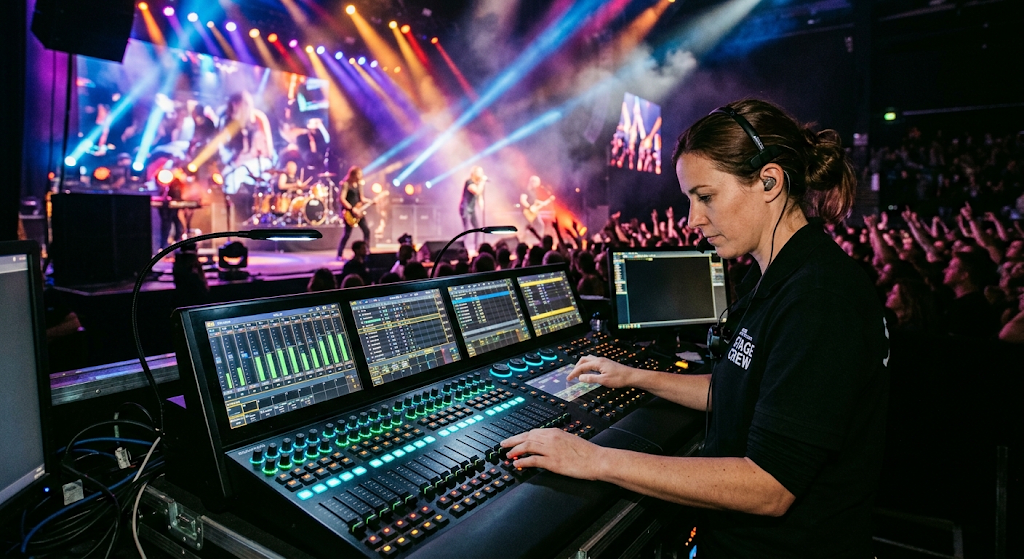
A DMX controller is a device that sends control data to lighting fixtures through the DMX protocol. It acts as the operator’s interface for telling compatible lights what to do.
Instead of adjusting every fixture individually, the operator can use one controller to manage multiple lights. Depending on the controller and fixtures, this may include brightness, color, movement, strobe, zoom, effects, and programmed lighting scenes.
In a typical stage lighting system, the signal path looks like this:
DMX Controller → DMX Cable → Fixture 1 → Fixture 2 → Fixture 3 → Fixture 4
Each fixture receives the DMX data and responds according to its assigned address and channel mode. This allows multiple lights to share the same DMX system while still being controlled independently.A DMX controller therefore works as the control center of a DMX lighting system. It does not produce the light itself. Instead, it sends the instructions that tell the lighting fixtures how to operate.
What Is DMX and DMX512?
DMX stands for Digital Multiplex. In stage lighting, DMX is a communication protocol used to send control information between a lighting controller and compatible fixtures.
The term DMX512 refers to a DMX system that provides up to 512 control channels within one universe.
A DMX channel can be used to control a particular function or parameter of a lighting fixture. For example, depending on the fixture’s DMX profile:
| Examples of DMX Lighting Channels | |
| Lighting Function | Typical Control |
| Dimmer | Overall light intensity |
| Red / Green / Blue | Individual color levels |
| White | White output or color temperature |
| Pan | Horizontal movement of a moving head |
| Tilt | Vertical movement of a moving head |
| Zoom | Beam coverage or beam angle |
| Strobe | Flash speed |
| Effects | Fixture-specific effects or programs |
One important point is that one channel does not always mean one physical light. A fixture may use multiple channels because each channel controls a different function.
For example, a simple LED fixture may use only a few channels for dimming and RGB color mixing, while a moving head can require many more channels for pan, tilt, color, dimming, strobe, zoom, and other functions.
How Does a DMX Controller Work?
The basic principle is straightforward: the controller sends DMX data, and the lighting fixtures interpret that data according to their assigned addresses and channel modes.
Imagine that four moving head lights are connected to the same DMX line. Each fixture has a starting address and a defined number of channels. The controller uses those channel positions to send instructions to the correct fixture.
For example:
| Simple DMX Address Example | |||
| Fixture | DMX Mode | Starting Address | Channels Used |
| Moving Head 1 | 12-channel | 1 | 1–12 |
| Moving Head 2 | 12-channel | 13 | 13–24 |
| Moving Head 3 | 12-channel | 25 | 25–36 |
| Moving Head 4 | 12-channel | 37 | 37–48 |
In this example, the four fixtures use 48 channels in total. The controller can address those channels individually or combine them into scenes and effects.
This is also why DMX addressing and channel mode must match the fixture configuration in the controller or lighting software. If the fixture is set to a different channel mode than the controller expects, the controls may not operate as intended.
What Is a DMX Channel?
A DMX channel is a control position used to send a value to a lighting function. Depending on the fixture, that function may control brightness, color, movement, speed, zoom, or another parameter.
The number of channels required by a fixture depends on its DMX mode.
A simple PAR light may use a relatively small number of channels for RGB or RGBW control, while a moving head may use substantially more channels because it has mechanical movement and additional effects.
This gives lighting manufacturers flexibility to provide different operating modes.
- Basic channel mode: fewer channels and simpler control.
- Standard channel mode: more independent functions.
- Extended channel mode: access to more detailed fixture parameters.
When planning a lighting system, the total channel requirement is therefore more important than simply counting the number of fixtures.
What Is a DMX Address?
A DMX address tells the lighting system where a fixture’s control data begins.
If a fixture uses 12 channels and starts at address 1, it occupies channels 1 through 12. The next fixture could start at channel 13, assuming it also uses 12 channels.
Correct addressing prevents fixtures from responding to the wrong commands.
This becomes especially important when a stage contains multiple fixture types. A system might combine PAR lights, wash lights, moving heads, LED bars, and other DMX-compatible equipment. Each fixture needs to be configured according to its DMX mode and position within the control system.
For a practical example of DMX universe management, signal routing, and fixture connection, see our guide to wiring and setting up DMX lights.
What Can a DMX Controller Control?
The answer depends on the fixture, but modern DMX-compatible stage lights can expose many different functions to the controller.
| Common DMX-Controlled Lighting Functions | ||
| Function | What the Controller Can Adjust | Common Fixture Types |
| Dimmer | Brightness level | PAR, wash, moving head |
| Color | RGB, RGBW, RGBL or other color parameters | LED PAR, wash, moving head |
| Pan / Tilt | Fixture direction | Moving head |
| Zoom | Beam coverage | Wash, beam wash, moving head |
| Strobe | Flash rate | PAR, strobe, moving head |
| Speed | Movement or effect speed | Moving head, effect lighting |
| Programs | Preset or fixture-specific effects | Various DMX fixtures |
This is one of the biggest advantages of DMX lighting control. A single control system can coordinate different types of fixtures instead of operating each light independently.
Can a DMX Controller Control Moving Head Lights?
Yes. Moving head lights are one of the most common reasons to use a DMX controller.
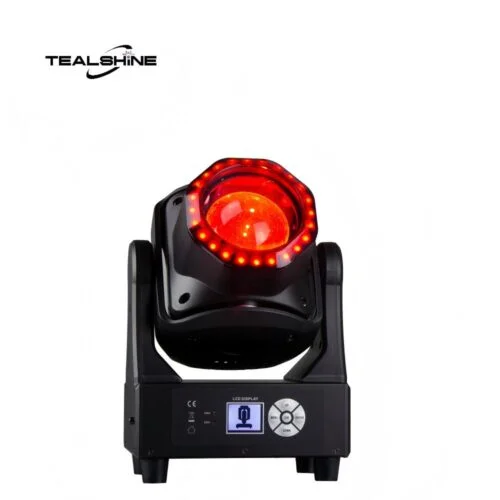
A moving head can have mechanical movement as well as multiple lighting functions. Depending on the fixture, a DMX controller may be used to control:
- Pan position
- Tilt position
- Dimmer level
- Color selection or color mixing
- Strobe speed
- Beam or zoom functions
- Movement speed
- Fixture-specific effects
For example, a beam wash moving head can be programmed to move across the stage while changing color and intensity at specific points in a song or performance.
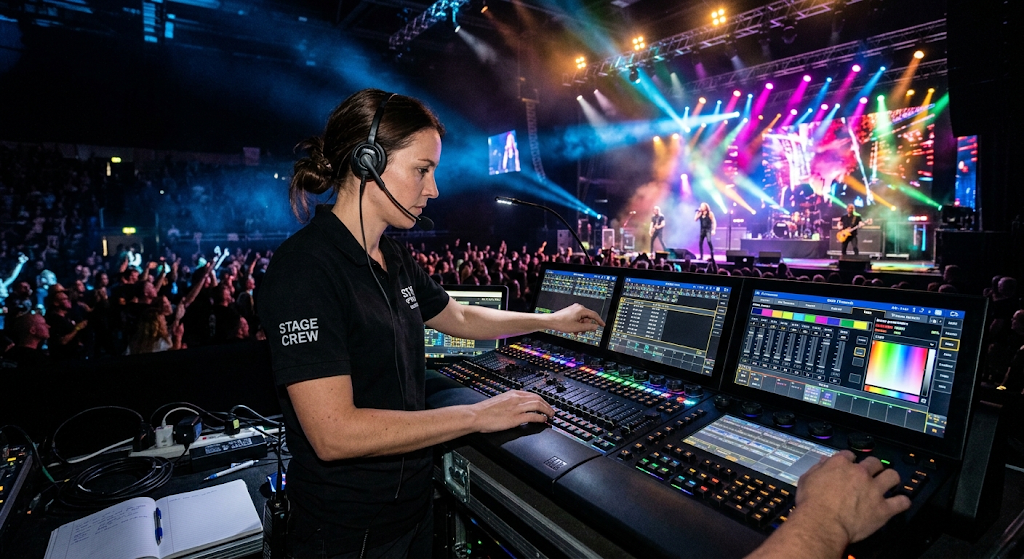
This makes DMX control particularly useful for concerts, touring productions, clubs, DJs, theaters, rental companies, and other applications where multiple lighting parameters need to change together.
Can a DMX Controller Control PAR Lights?
Yes. DMX-compatible PAR lights can be controlled through a DMX controller just like other compatible stage fixtures.
PAR lights are commonly used for front lighting, wash lighting, background lighting, wall washing, and stage color effects. Depending on the fixture, the controller may adjust RGB or RGBW color values, dimming, strobe, color macros, and other functions.
The main difference between controlling a PAR light and a moving head is the number and type of parameters available. A PAR light normally does not require pan and tilt channels, while a moving head needs additional channels for mechanical movement.
Tealshine’s PAR light guide explains how modern LED PAR fixtures use DMX control as part of a larger stage lighting system.The fixture’s DMX channel mode should always be checked before programming a controller.

How Many DMX Channels Do You Need?
There is no single number of channels that works for every lighting system. The requirement depends on the number of fixtures and the DMX channel mode selected for each fixture.
A simple calculation is:
Total DMX channels = Number of fixtures × Channels used by each fixture
For example, if you have six LED fixtures using 8 channels each:
6 × 8 = 48 channels
If you have eight moving heads using 16 channels each:
8 × 16 = 128 channels
Both setups fit within one 512-channel DMX universe, assuming there are no additional channel requirements from other fixtures.
For larger systems, additional universes can be used to provide more available channels.
When selecting a controller, therefore, look at both the number of fixtures and the channel count required by each fixture. Counting fixtures alone can give you a misleading estimate.
What Types of DMX Controllers Are Available?
DMX controllers are available in several forms. The right choice depends on the size of the lighting system, how the lights will be operated, and how much programming is required.
Hardware DMX Controllers
Hardware controllers are physical lighting consoles or boards with faders, buttons, encoders, screens, or other controls. They are useful when an operator needs direct access to lighting parameters during a live event.
Software DMX Controllers
Software-based lighting control uses a computer or other compatible device to program and operate fixtures. This approach can provide detailed scene programming, fixture libraries, visual interfaces, and more advanced control options.
USB DMX Interfaces
A USB DMX interface connects a computer to a DMX lighting system. In this case, the computer software generates the lighting commands while the interface converts the computer’s output into the required DMX signal.
Network-Based Lighting Control
Larger installations may use network-based protocols to distribute lighting data across Ethernet networks. This approach can be useful when the lighting system contains multiple universes or fixtures distributed across a large venue.
The important point is that the term DMX controller can describe different types of control equipment. Always look at the actual system architecture rather than choosing a controller based only on the name.
How to Set Up a DMX Controller for Stage Lights
A basic DMX controller setup follows a logical sequence. The exact procedure depends on the controller and fixtures, but the overall workflow is similar.
1. Check Fixture DMX Compatibility
Make sure every fixture you want to control supports DMX and check its manual for the available DMX modes.
2. Choose the DMX Channel Mode
If the fixture provides several channel modes, choose the one that matches the level of control you need.
3. Connect the DMX Signal
Connect the controller or DMX output device to the first fixture, then continue the signal path to the following fixtures according to the system design.
4. Assign DMX Addresses
Set the starting address for each fixture so that the controller can address the correct channels.
5. Configure the Fixtures in the Controller
For software controllers or advanced consoles, select or create the appropriate fixture profile and make sure its channel layout matches the actual fixture.
6. Test Individual Functions
Test dimming, color, movement, strobe, zoom, and other available functions before creating complete scenes.
7. Program Scenes and Cues
Once individual fixtures respond correctly, combine them into scenes, cues, sequences, or live control groups depending on the production.
The most common setup problems are usually related to incorrect addresses, incorrect channel modes, incompatible fixture profiles, cable problems, or incorrect signal routing.
DMX Controller vs DMX Console: Is There a Difference?
The terms DMX controller and DMX console are often used interchangeably, but they can describe different levels of lighting control equipment.
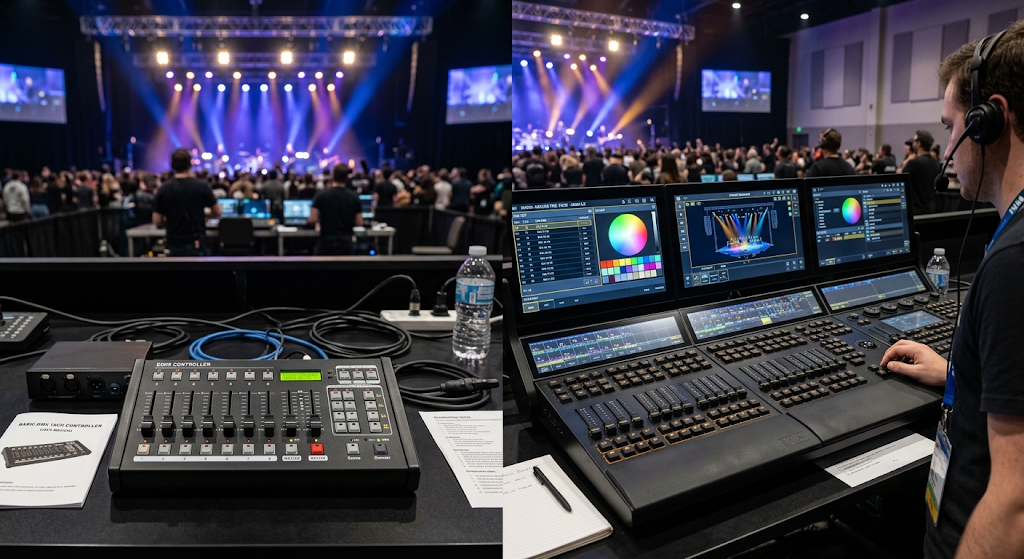
A basic DMX controller may provide simple faders and buttons for controlling a small number of fixtures. A professional lighting console can provide more advanced programming, fixture libraries, playback systems, effects, cue stacks, and multiple universes.
In practical terms, the important question is not which name is printed on the equipment. The important question is whether the system provides the channels, fixture control, programming functions, and outputs required for your lighting application.
Do You Need a DMX Controller for LED Stage Lights?
No. Not every LED stage light requires a DMX controller.
Many LED fixtures can operate in several modes, depending on the model. These may include automatic programs, sound-active modes, manual onboard controls, master/slave operation, and DMX control.
However, a DMX controller becomes much more useful when you need several fixtures to work together or when you want precise control over individual lighting parameters.
For example, a single PAR light at a small event may run perfectly well using its onboard controls. But if the same event uses multiple PAR lights, moving heads, LED bars, and other fixtures, centralized DMX control provides much more control over the complete lighting system.
What Should You Look for in a DMX-Compatible Stage Light?
If you are purchasing stage lights for use with a DMX controller, the controller itself is only part of the equation. The fixture needs to provide a clear and usable DMX implementation as well.
| Important DMX Fixture Specifications | |
| Specification | Why It Matters |
| DMX Channel Modes | Determines how much control is available |
| DMX Input / Output | Determines how the fixture connects to the control system |
| Fixture Profile | Allows the controller or software to address functions correctly |
| DMX Address Settings | Determines where the fixture responds within the DMX universe |
| Firmware Support | Can affect compatibility and available functions |
| Control Functions | Shows which lighting parameters can actually be controlled |
For professional lighting projects, it is also useful to confirm how the fixture works with the lighting software or console that your team already uses. A technically DMX-compatible fixture still needs an appropriate fixture profile and channel mapping for smooth programming.
Can a Stage Lighting Manufacturer Customize DMX Control?
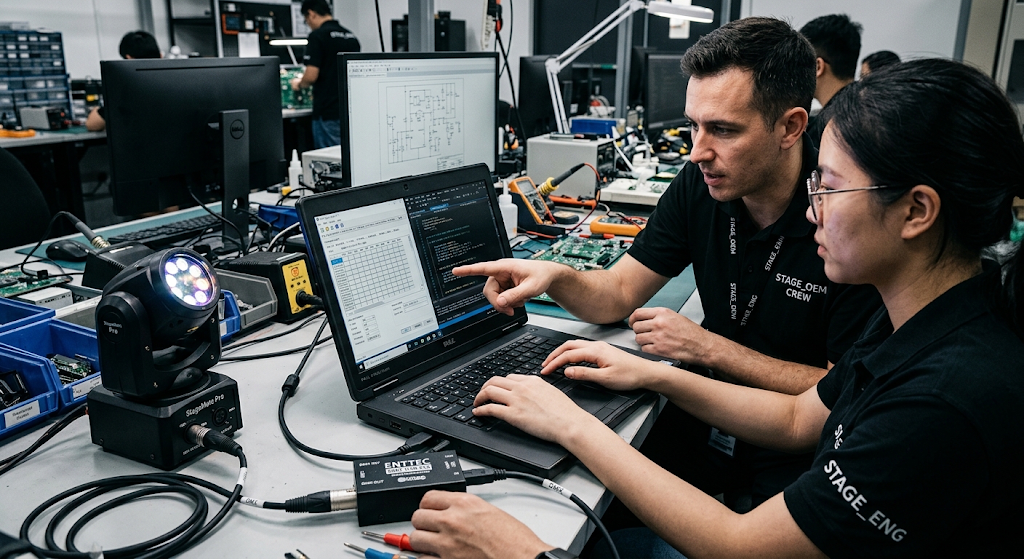
For professional buyers, DMX compatibility does not always stop at the standard fixture specification. Manufacturers can also customize channel mappings, firmware behavior, fixture profiles, and control-related functions for specific projects or product programs.
Tealshine provides DMX protocol and software customization for OEM and ODM stage lighting projects, including custom DMX channel mappings and native fixture library profiles for professional lighting control systems.
This can be useful for distributors, rental companies, and project contractors that need a fixture to integrate into an existing control workflow rather than manually rebuilding the fixture profile for every deployment.
DMX Controller for Concerts, DJs, Theater and Events
The same DMX principles can be applied to very different lighting environments.
Concerts and Live Music
Moving heads, wash lights, beam fixtures, PAR lights, LED bars, and effect fixtures can be coordinated to create timed changes in color, movement, brightness, and effects.
DJ and Club Lighting
A compact controller can coordinate moving heads, PAR fixtures, strobes, and other effects. Sound-active or programmed scenes can be used when the operator does not need to control every parameter manually.
Theater
Theater lighting often requires repeatable scenes and precise transitions. A DMX control system can help operators recall programmed lighting states for different parts of a performance.
Corporate Events
Corporate presentations usually require clean and consistent lighting rather than constant movement. DMX control can be used to coordinate stage wash, speaker lighting, background lighting, and color changes.
Rental and Production Systems
Rental companies often work with different fixture combinations from one project to another. Flexible DMX control and clear fixture profiles make it easier to integrate different lighting fixtures into temporary systems.
Common DMX Controller Problems
When a DMX lighting system does not respond correctly, the problem is not always the controller. Check the entire signal chain.
Wrong DMX Address
If a fixture is assigned to the wrong starting address, the controller may operate a different fixture or appear to have no effect.
Wrong Channel Mode
A fixture set to 12-channel mode will not respond correctly if the controller is programmed using a 16-channel profile.
Incorrect Fixture Profile
Software controllers and advanced consoles rely on fixture profiles to understand what each channel controls. An incorrect profile can cause individual functions to operate incorrectly.
Signal Chain Problems
Loose connections, damaged cables, incorrect routing, or missing termination in the appropriate setup can affect DMX communication.
Power Problems
DMX carries control data, not the main electrical power required to operate the fixture. A fixture therefore needs both appropriate power and a valid DMX signal.
Checking these items systematically is usually faster than replacing the controller immediately.
DMX Controller FAQ
What is a DMX controller?
A DMX controller is a device that sends digital control data to DMX-compatible lighting fixtures. It can control functions such as brightness, color, movement, strobe, zoom, and effects depending on the fixture.
What does DMX stand for?
DMX stands for Digital Multiplex. DMX512 is the commonly used lighting control standard that provides up to 512 channels in one universe.
Can a DMX controller control moving head lights?
Yes. DMX controllers are commonly used to control moving head functions such as pan, tilt, dimming, color, strobe, zoom, speed, and other fixture-specific parameters.
How many lights can one DMX controller control?
It depends on the number of channels required by the fixtures and the number of DMX universes supported by the control system. The total number of fixtures is less important than their combined channel requirements.
Do all DMX lights use the same number of channels?
No. Different fixtures use different channel counts, and many fixtures provide several DMX modes with different levels of control.
Do I need a DMX controller for one stage light?
Not necessarily. A single fixture may operate using onboard controls, automatic programs, sound-active mode, or other standalone functions. A DMX controller becomes more useful when you need centralized and programmable control.
Can different types of stage lights work on the same DMX system?
Yes. DMX-compatible PAR lights, moving heads, LED bars, wash lights, and other fixtures can be used within the same lighting control system, provided their DMX configurations are correctly set.
What is the difference between a DMX controller and a DMX USB interface?
A standalone DMX controller can provide the interface used to operate the lighting system directly. A USB DMX interface normally connects a computer to the DMX system and relies on lighting control software to generate and manage the commands.
Conclusion: DMX Controller Is the Control Center of a DMX Lighting System
A DMX controller provides the control interface between the lighting operator and DMX-compatible stage fixtures. Once you understand DMX channels, fixture addresses, channel modes, and signal routing, it becomes much easier to build and operate a coordinated lighting system.
The most important point is that the controller and the fixtures need to work as one system. Before choosing a controller, check the number of fixtures, total channel requirements, available DMX modes, fixture profiles, and the functions you actually need to control.
For stage lighting manufacturers, this also means DMX compatibility should be considered at the fixture design stage. Clear channel mapping, reliable DMX communication, practical control modes, and compatibility with lighting control systems all contribute to a smoother experience for lighting operators and production teams.